The two most powerful at-home speech therapy techniques are 'Self-Talk' (narrating what YOU are doing out loud: 'Mama is pouring cold milk!') and 'Parallel Talk' (acting like a friendly sportscaster for what YOUR CHILD is doing: 'You are pushing the big blue truck—vroom!'). Because neither technique asks a test question, your toddler hears exact words mapped onto their current focus with zero pressure! Kid Speech AI: Play & Learn ($9.99/mo or $79.99/yr with a 7-day free trial on Google Play) automates this exact sportscaster method using Live Camera Object Naming and Live Action Narration!
What Is the Difference Between Parallel Talk and Self-Talk?
Toddlers learn words fastest when the word hits their ears at the exact same second they are looking at or touching an object. In Self-Talk, you broadcast your own everyday actions in short, 2-to-4 word phrases while your toddler watches you cook, fold laundry, or open a box. In Parallel Talk, you sit next to your child on the rug and become their personal play-by-play announcer—putting short, cheerful words to whatever toy is in their hands right now!
3 'Sportscaster Narration' Rules That Replace 'What's That?' Quizzing
- 1. Follow Their Eyes, Then Name the Action (Parallel Talk): Wait to see what toy your toddler picks up. If they stack a yellow block, don't ask "What color is that?" Instead, announce like a cheerful sportscaster: "Block up! You put the yellow block on top!"
- 2. Narrate Your Kitchen & Dressing Moves (Self-Talk): While making breakfast, narrate in short bursts: "Open fridge! Brrr, cold! Pour milk in cup!" Your toddler absorbs verbs and sequence naturally.
- 3. Let Kid Speech AI Be Your Live Play-by-Play Announcer: Open Live Action Narration and Live Camera Object Naming inside Kid Speech AI! Point the camera at your child's toys to hear real-time sportscaster phrases ("The bear is sitting") across 27 friendly voices.
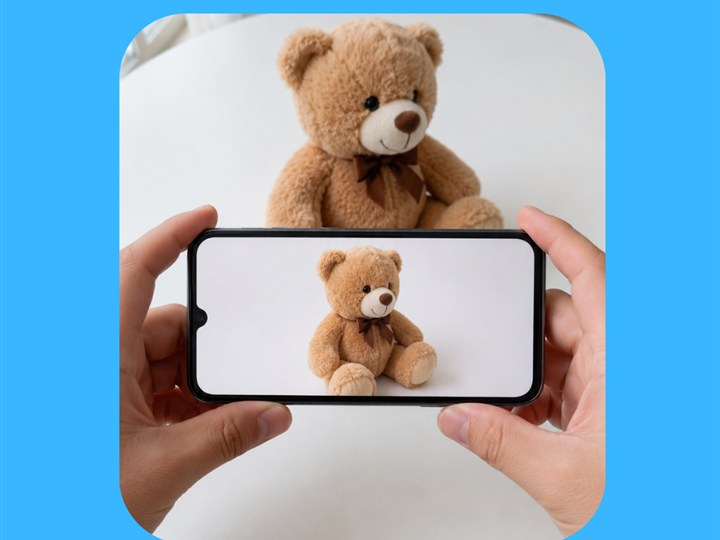
Live Action Narration models real-time sportscaster sentences ('The bear is sitting') right from your phone camera!
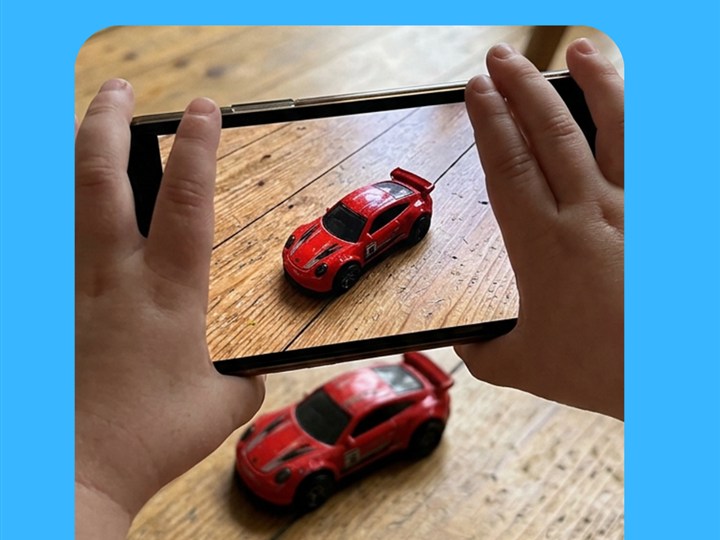
Follow your toddler's lead and scan whatever toy they pick up in 2 seconds with Live Camera Object Naming.
At-Home Vocabulary & Routine Comparison Guide
| Everyday Moment | Self-Talk (Narrating Your Action) | Parallel Talk (Narrating Child's Action) |
|---|---|---|
| Playing with Toy Cars | "Mama is building a tall ramp!" | "You pushed the red car! Fast car!" |
| Snack & Kitchen Time | "I am peeling the yellow banana!" | "You took a big bite! Yummy banana!" |
| Bath Time Splash | "Mama is pouring warm water!" | "You are washing baby duck! Splash!" |
| Getting Dressed | "I am zipping my big coat up!" | "You pushed your foot in the shoe!" |
Frequently Asked Questions for Parents
Should I talk non-stop like a radio announcer during Parallel Talk?
No! The secret is 'Narrate for 3 seconds, then pause for 5 seconds.' Give a short, bouncy 2-to-3 word comment ('Push big truck!') and then stay quiet while smiling at your child so they have space to take a vocal turn.
Why is Parallel Talk better than asking 'What are you doing?'
A 15- to 26-month-old often doesn't have the vocabulary yet to answer 'What are you doing?' Parallel Talk gives them the exact words ('Building tower! Blocks up!') right when they need them.
How does Kid Speech AI help busy parents stay consistent with narration?
Between scheduled 3-angle Pop-Up Flashcards and 2-second Live Camera Object Naming, Kid Speech AI provides clear, upbeat word models in 27 voices even when you are busy prepping dinner!
Turn Everyday Play & Screen Time Into Real Words!
Try all 6 interactive vocabulary modes free for 7 days on Google Play ($9.99/mo or $79.99/yr after—cancel anytime in one tap).
▶ Start 7-Day Free Trial on Google Play