One of the fastest ways to help a late-talking toddler use real words instead of pointing or whining is the "Two-Hand Choice" technique! Instead of asking open-ended questions like "What do you want to eat?" or yes/no questions where your child can just nod, hold two real objects at eye level—"Apple or banana?"—so your child hears the exact target word right before answering. Kid Speech AI: Play & Learn ($9.99/mo or $79.99/yr with a 7-day free trial on Google Play) lets your child scan their chosen item in 2 seconds across 27 natural voices.
Why "Apple or Banana?" Beats "What Do You Want?" Every Time
When a toddler is hungry or excited, retrieving a word from memory from scratch is hard work! Open-ended questions ("What do you want?") require word recall without a model, while yes/no questions ("Do you want crackers?") only require a head nod. When you hold one item in your left hand and one in your right hand at chest height—"Do you want apple... or banana?"—you give your child both a visual anchor and the exact spoken sound pattern to imitate!
3 Ways to Play the Two-Hand Choice Game Today
- The Eye-Level Hold & 2-Second Scan: Hold two snacks or two toys near your face so your child naturally looks from your eyes to the objects. As soon as they look, reach, or vocalize for their favorite, celebrate and let them scan the winner for 2 seconds with Live Camera Object Naming!
- The "Silly Choice" Trick for Stubborn Pointing: If your child only points without making a sound, offer one item they love and one silly item they definitely don't want—like "Do you want crackers... or an empty sock?" Toddlers laugh and quickly try to say "Cracker!" or "No sock!"
- Two-Word Attribute Choices (Ages 2.5–7): Once your child masters single nouns, upgrade your choices to build 2-word phrases: "Big spoon or little spoon?", "Red shirt or blue shirt?", "Walk fast or walk slow?"
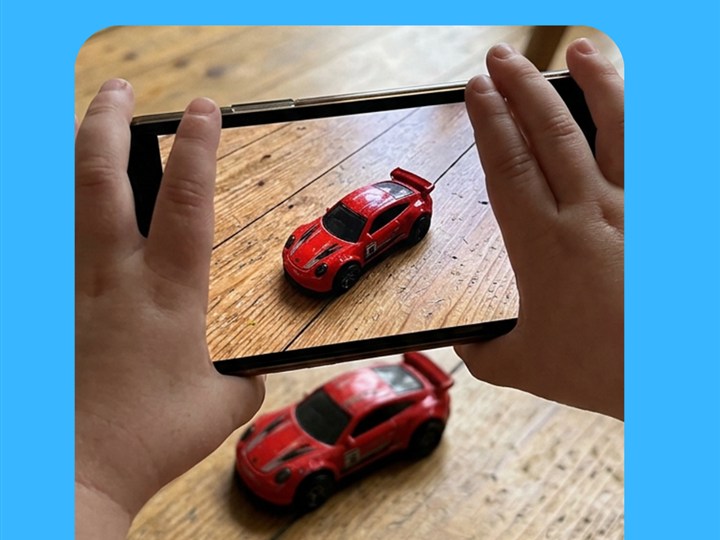
Let your child scan their chosen snack or toy for 2 seconds to hear the word spoken out loud!
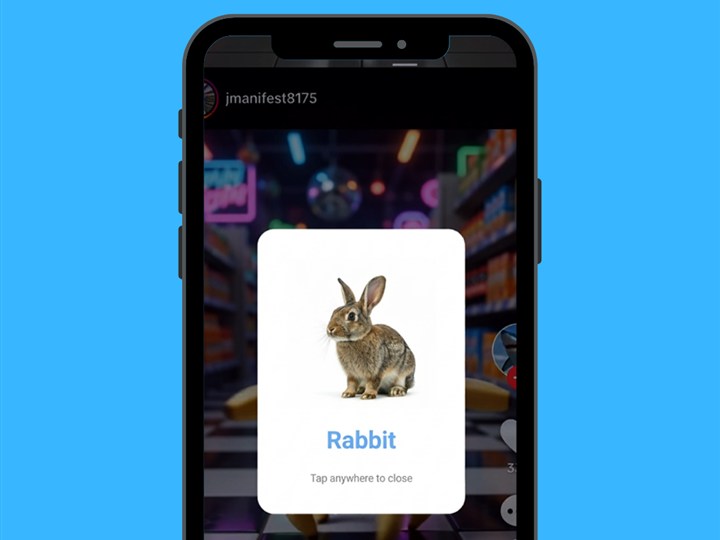
3-angle Pop-Up Image Flashcards help toddlers recognize their favorite food and toy choices from any view.
At-Home Vocabulary & Routine Comparison Guide
| Daily Routine | Avoid Asking This... | Use This Two-Hand Choice Instead |
|---|---|---|
| Snack & Breakfast | "What do you want to eat?" | "Do you want APPLE or BANANA?" |
| Getting Dressed | "Put your shoes on now." | "RED shoes or BLUE boots today?" |
| Living-Room Play | "Do you want to play with cars?" | "Should we roll the BALL or push the TRUCK?" |
| Bath & Bedtime | "Time to get in the tub!" | "Bring the DUCK or the BOAT into the bath?" |
Frequently Asked Questions for Parents
Which hand should hold the object my child actually wants?
Put the item your child wants most in the hand you name SECOND! Toddlers naturally echo the very last word they hear (recency effect), so saying "Sock... or CRACKER?" makes "Cracker!" much easier to repeat.
What if my child grabs both items or just points silently?
Keep a gentle hold on both items for 2 seconds, bring the chosen item slightly closer to your mouth, and model the word warmly twice ("Banana! Yum, banana!") before handing it over—never withhold food to the point of tears.
How does Kid Speech AI make choice-making even more fun?
Kids love choosing which of the 27 natural voices in Kid Speech AI gets to name their object next—turning every choice into an interactive listening game!
Turn Everyday Play & Screen Time Into Real Words!
Try all 6 interactive vocabulary modes free for 7 days on Google Play ($9.99/mo or $79.99/yr after—cancel anytime in one tap).
▶ Start 7-Day Free Trial on Google Play