Toddlers often shake their heads, whine, or push plates away because physical gestures are faster than retrieving a spoken word. Kid Speech AI: Play & Learn ($9.99/mo or $79.99/yr with a 7-day free trial on Google Play) helps children ages 2 to 7 bridge from gestures to spoken "Yes please," "No thank you," and "All done!" by pairing 2-second real-object camera naming with low-pressure two-choice games.
Why "No" Usually Appears Before "Yes" (And Why Both Matter)
In early childhood language development, "No" is a power word—it gives a toddler instant control over their food, toys, and transitions. "Yes," on the other hand, is harder because children often just reach for what they want instead of naming their agreement out loud. When you turn everyday requests into playful two-object visual choices, both "Yes" and "No" gain an immediate, joyful purpose.
3 Playful Games to Spark "Yes," "No," and "All Done!"
- The Silly Wrong-Guess Game: Scan your child's banana or toy truck with Kid Speech AI's Live Camera Object Naming so the app names it clearly. Then hold up the banana with a goofy grin and ask, "Is this a sock?" Toddlers love correcting adults and will gleefully shout "No! Banana!"
- Two-Hand Choice Hold: Hold a favorite snack in one hand and an empty spoon in the other. Ask, "Crackers—yes or no?" Model nodding your head while saying a bouncy "Yes! Crackers!" so your child sees and hears the gesture paired with the spoken word.
- The "All Done" Cleanup Tap: When mealtime or a video ends, let your child tap the custom "All Done!" photo card in Custom Family Flashcards so they hear the phrase spoken across 27 cheerful voices before leaving the table.
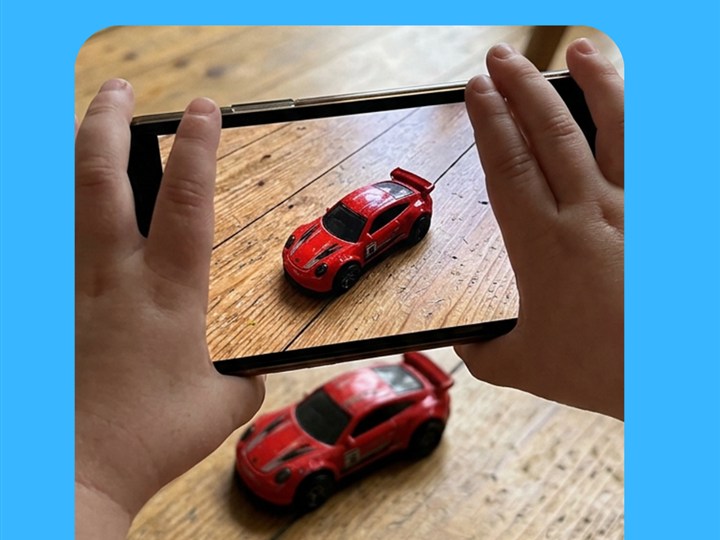
Live Camera Object Naming turns everyday snacks and toys into playful "Is this a shoe? No, apple!" games.
Create custom "Yes please," "No thank you," and "All done!" photo and video cards featuring your own family.
At-Home Vocabulary & Routine Comparison Guide
| Child's Current Gesture | Playful Parent + AI Routine | Target Spoken Word / Phrase |
|---|---|---|
| Pushes plate or cup away | Tap custom "All Done" card + wave hands together | "All done!" / "No more" |
| Reaches silently for a snack | Hold item by your cheek after a 2-second camera scan | "Yes! Apple!" / "Yes please" |
| Shakes head at wrong toy | Play the Silly Wrong-Guess game ("Is this a hat?") | "No! Truck!" |
| Pulls parent's hand toward door | Use Live Action Narration at the door handle | "Open door!" / "Yes outside!" |
Frequently Asked Questions for Parents
Why does my toddler say "No" to everything even when they mean "Yes"?
Many toddlers between 18 and 30 months use "No" as their default automatic reply because it is the most practiced boundary word in their vocabulary. Giving concrete object choices ("Do you want blue cup or red cup?") bypasses the automatic "No" reflex.
How do Custom Family Flashcards help teach "All done" and "More"?
You can snap a quick photo or 3-second video of your child waving "All done" at their highchair or tapping their chest for "More please" so they see themselves modeling the exact functional phrase.
What is included in the Kid Speech AI 7-day free trial?
Every family gets full access to all 6 modes—Pop-Up Image Flashcards, Pop-Up Video Flashcards, Custom Family Cards, Live Camera Object Naming, Real-Time Action Narration, and 3D AR Exercise—free for 7 days on Google Play ($9.99/mo or $79.99/yr after).
Turn Everyday Play & Screen Time Into Real Words!
Try all 6 interactive vocabulary modes free for 7 days on Google Play ($9.99/mo or $79.99/yr after—cancel anytime in one tap).
▶ Start 7-Day Free Trial on Google Play