Toddlers learn the names of people and pets they love much faster than generic cartoon flashcards. With Kid Speech AI: Play & Learn ($9.99/mo or $79.99/yr with a 7-day free trial on Google Play), parents can create unlimited Custom Photo & Video Flashcards of Mom, Dad, grandparents, siblings, and pets—and even schedule them to pop up automatically during screen time.
Why Real Family Faces Beat Generic Cartoon Cards Every Time
Think about a toddler's world: they spend every day surrounded by the faces and voices of their family. When a toddler sees a generic drawing of a stranger in a traditional app, there is zero emotional connection. But when they see a smiling photo or 3-second video of their own Grandma, Daddy, big sister, or golden retriever, their eyes light up immediately!
How to Build Your Family Flashcard Deck in 2 Minutes
Inside Kid Speech AI: Play & Learn, the Custom Photo & Video Flashcards studio makes personalization effortless:
- Pick Any Photo or Short Video from Your Phone: Choose clear, close-up photos or short clips of family members waving, smiling, or blowing a kiss.
- Type the Exact Name Your Family Uses: Whether your family says "Abuela," "Nana," "Yaya," "Bibi," or "Grandma," type the exact name you want your child to hear and practice.
- Schedule Them as Automatic Pop-Ups: Enable your custom cards inside the Pop-Up Flashcard Overlay so familiar faces gently pop up while your child watches videos or plays games!
- 100% Private On-Device Storage: All of your custom family photos and videos stay stored privately right on your device—never uploaded to public databases or shared.
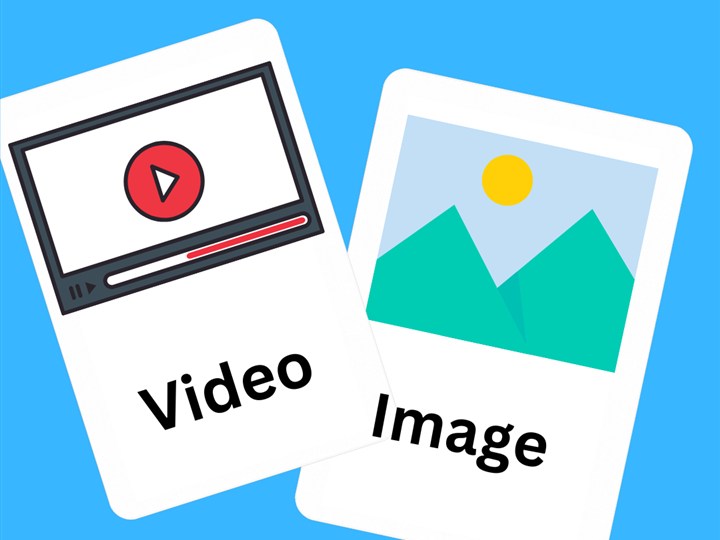
Custom Photo & Video Flashcards: Upload real family photos and short videos from your phone to teach the names that matter most.
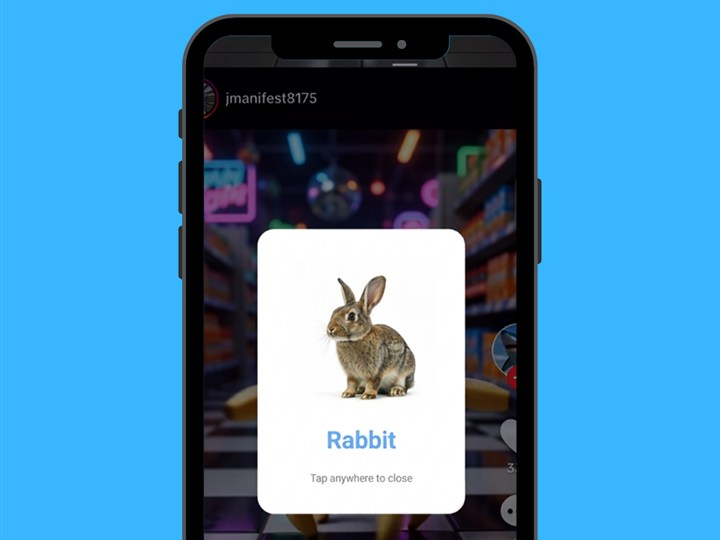
Automatic Screen-Time Pop-Ups: Your custom family flashcards can pop up right alongside AI image and video flashcards!
10 High-Impact Custom Flashcards Every Family Should Create First
| Card # | Who or What to Photograph / Record | Spoken Label to Type in Kid Speech AI |
|---|---|---|
| 1 & 2 | Close-up smiling photo or waving video of Mom & Dad | "Mama" / "Dada" |
| 3 & 4 | Brothers, sisters, or baby sibling smiling | Sibling’s first name or "Baby [Name]" |
| 5 & 6 | Grandma & Grandpa (especially if they live far away!) | "Grandma / Nana" & "Grandpa / Papa" |
| 7 & 8 | Family dog, cat, or pet in motion (3-second video) | Pet’s real name + "Doggy / Kitty" |
| 9 & 10 | Your child’s #1 favorite stuffed animal & sippy cup | "Teddy Bear" & "My Cup" |
Frequently Asked Questions
Can I add both photos and videos to Custom Flashcards in Kid Speech AI?
Yes! Kid Speech AI supports both Custom Photo Flashcards and Custom Video Flashcards right from your phone’s gallery so your child can see loved ones smiling and waving.
Are our family photos and videos kept private?
100%. All custom family photos, videos, and Parent Word Logs in Kid Speech AI are stored locally on your device for complete family privacy.
Can custom family flashcards pop up over my child’s favorite videos?
Yes! You can include your Custom Photo & Video Flashcards in the automatic Pop-Up Flashcard rotation so your toddler practices family names throughout the day.