Everyday errands like grocery shopping and park visits expose your toddler to hundreds of colorful, real-world nouns and action verbs. With Kid Speech AI: Play & Learn ($9.99/mo or $79.99/yr with a 7-day free trial on Google Play), parents can use Real-Time Camera Object Naming and Action Narration on the go, then turn park photos and videos into Custom Flashcards at home.
Why the Grocery Store Is the Ultimate "Living Picture Book"
When your toddler sits in the front of a shopping cart, they are at eye level with bright red apples, yellow bananas, milk cartons, cereal boxes, and rolling wheels. Instead of rushing through the aisles in silence—or handing over a phone with passive cartoons—you can turn a 20-minute grocery trip into an unforgettable vocabulary adventure!
4 Ways to Use Kid Speech AI Out and About
- The Produce Aisle "Camera Scanner" Game: Hand your toddler an apple or banana to hold in the cart, open Kid Speech AI, and use Real-Time Object Naming to scan it together. Hearing the friendly AI voice announce the fruit right in the store makes your child beam with pride!
- Capture Custom Park Videos for Home Review: When your toddler goes down the slide at the park or watches a dog run by, snap a quick photo or 3-second video. Add it to Custom Photo & Video Flashcards so your toddler can relive their park adventure and practice those exact words all week long.
- Narrate Live Actions Everywhere: Use Real-Time Action Narration to model complete action sentences (like "The bear is sitting") so your child learns how verbs describe the world around them.
- Make Waiting Time Count with Pop-Up Overlays: If you hand your toddler your phone while waiting in a long checkout line or restaurant, turn on Pop-Up Image Flashcards and Pop-Up Video Flashcards so scheduled word cards automatically pop up over their video!
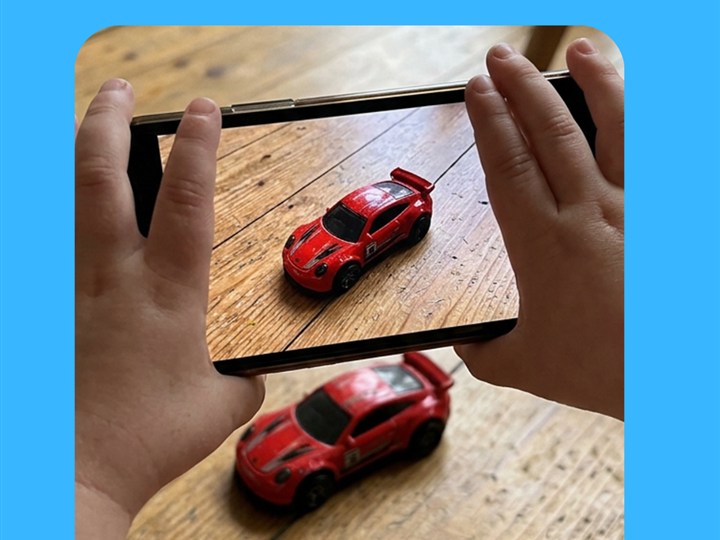
On-the-Go Object Naming: Point your camera at apples, bananas, toy cars, or park equipment to hear clear spoken names.
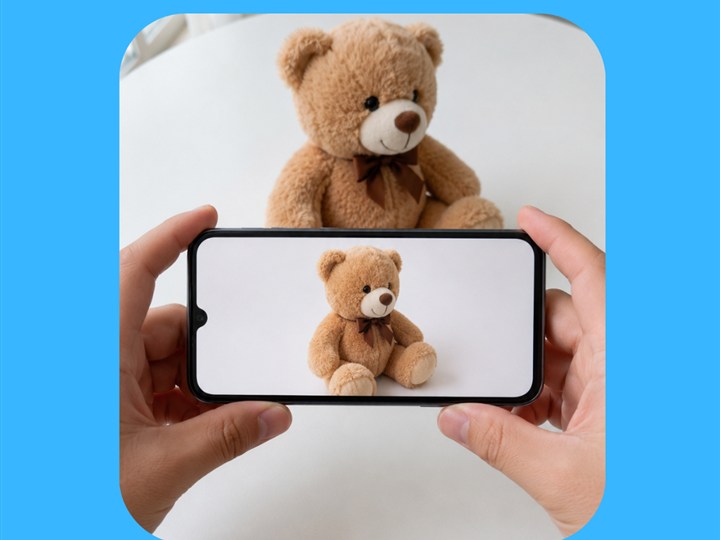
Real-Time Action Narration: Describe live actions at the park or home ("The bear is sitting") to build multi-word phrases.
Errand & Park Vocabulary Game Guide for Toddlers
| Out-and-About Location | High-Interest Nouns | High-Interest Action Verbs | How to Use Kid Speech AI |
|---|---|---|---|
| Grocery Store Produce Aisle | Apple, Banana, Orange, Milk, Cart | Push, Put in, Hold, Eat | Scan fruits in the cart with Real-Time Object Naming |
| Neighborhood Walk | Car, Truck, Dog, Tree, Bird, Flower | Walk, Stop, Go, Bark, Fly | Take 3-second clips for Custom Photo & Video Flashcards |
| Playground / Park | Slide, Swing, Ball, Grass, Shoes | Climb, Slide down, Push, Run, Jump | Use Real-Time Action Narration & 3D AR Exercise |
| Waiting in Line / Car Seat | Favorite videos or tablet games | Tap, Look, Listen, Repeat | Turn on Pop-Up Image & Video Flashcard Overlays |
Frequently Asked Questions
Why do toddlers learn words faster during real errands than from static worksheets?
In the grocery store or park, toddlers engage all their senses—touching a cold milk carton, smelling fresh oranges, and sliding down a real slide. Pairing those sensory moments with Kid Speech AI’s camera naming locks words into memory.
Can I turn photos from our park trip into flashcards inside Kid Speech AI?
Yes! Custom Photo & Video Flashcards let you pick any photo or short video from your phone’s camera roll, type the word or phrase you want spoken, and add it to your child’s daily flashcard rotation.
How do I start the 7-day free trial of Kid Speech AI?
Visit Google Play to download Kid Speech AI: Play & Learn and activate your 7-day free trial ($9.99/month or $79.99/year after trial, cancel anytime).